"Dragging the Shutter"

 Below is an excerpt from a thread that appeared on the
PhotogForum message board.

 >>> What is meant by "dragging the shutter"? Is that anything different than using a slow shutter speed? <<<

Basic definition: "Dragging the shutter" refers to when you use a very *low sync speed* with your flash.

Let's start with a common scenario:

The usual flash photography situation is, you're in a room or reception hall with average (dim) lighting, you've got your camera with a portable flash attached. You've set your sync speed to the usual 1/125 sec, and your lens aperture to, say f8. No problem, you're set to take some photographs, and you do.
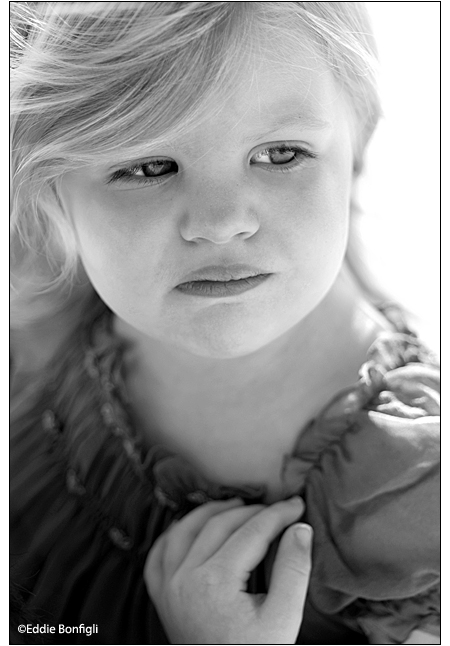
Later, you get the roll back from the lab and see that all those flash pictures are perfectly exposed for the subject, but, disappointingly, all the backgrounds are dark -- it looks like the people were photographed in a dark cave. Ideally, you'd like the subject exposed properly, and the background to be light enough to add some context to the image. Whether it's blurred out or not is not such a concern -- you just want to see some light back there! Well, here's where "dragging the shutter" can help a lot.

The reason the background comes out too dark with your current camera/flash settings is because although your subject is being exposed properly by your flash, your background, on the other hand, is receiving very little of that same flash power, because it is so far away, relatively. And, your camera settings of f8 @ 125 sec are not letting in enough ambient light to record any of the background. How can we brighten the background, while at the same time keep the flash exposure correct for the subject?

Here is the important thing to know regarding making flash exposures: Your flash will continue to expose your subject correctly EVEN if you *vary the shutter speed*. Got that? Of course, you must not exceed your maximum sync speed for your camera -- usually about 1/125 (see your camera's owner's manual). And, don't pick too long a speed such that you start getting serious blur (1/15 sec or lower). But, for the most part, and for now, any shutter speed between 1/30 and your top sync speed will work to expose your subject correctly.

Now, about the background. Say you do pick a shutter speed of 1/30 sec. Well, your subject will still be properly exposed, but you've now added two stops extra exposure for the ambient light (in the first scenario, you were using a shutter speed of 1/125, which let in two stops less light than 1/30 sec.).
These two stops extra exposure enables any existing light in the room (background) to show up more in your photograph. This extra light is not significantly strong enough to affect the subject's exposure, but it IS (hopefully) enough to cause the background to show brighter. Since there are usually various light sources in a room or hall, these will help illuminate the background IF you have set a slow enough sync speed.

Another way to add even more light to the background is to use a wider aperture. Once again, your auto flash will expose the subject correctly (if necessary, reset your flash to the appropriate aperture). However, by choosing a wider aperture, you are now, again, adding more ambient light exposure to the background. Got that? In the first scenario, your aperture was set to f8, and cutting out quite a bit of ambient light (especially in the backgrounds). Now, say you set your aperture to f4. All of a sudden, your background is getting two more stops of light compared to f8. And the subject is still properly exposed, of course.

You can see now, hopefully, that by choosing a longish sync speed (say, 1/30 sec), and setting a wide aperture (say, f4), you will be adding much more light to your backgrounds, while keeping the subject properly exposed. Compared to the first scenario (where the settings were f8 @ 1/125 sec), you will be adding a whopping *4 stops* extra exposure to the background! Using this clever method to brighten backgrounds during event photography (weddings especially), is just one reason why pros are called pros!

Some photographers with a lot of experience dragging the shutter will dare to set their shutter speeds at 1/15, 1/8, even as low as 1 full second for creative effects. But experiment heavily with this method before relying on it.

If you've noticed images in the magazines where there are artfully blurred trails of light coming off of a moving subject, with the subject rendered sharply, you most likely are viewing the effects of "dragging the shutter". The flash freezes the subject at moment of flash burst, while the long shutter speed records the subject or camera movement (causing ambient light blur).

Again, to be able to predict the effects of dragging the shutter, especially with very long sync speeds, be sure to experiment with various camera settings.

>>> Say my camera meters at 1/125, f/8 (as in your example) and I change my camera to 1/30, f/5.6 to let more light in (3 stops I think). Do I need to make sure that my flash is also at 1/30 and f/5.6? And why doesn't this result in the whole picture being overexposed? <<<

Do you have to set the flash to the new aperture? Yes, your flash power must account for the new aperture. However, many of today's sophisticated, dedicated flashes automatically sense which aperture you set and it adjusts the flash power so the exposure on the subject will be correct. (Remember, it doesn't matter, and the flash doesn't care, what shutter SPEED you set as long as it doesn't exceed the max. sync speed.)

If you have a less sophisticated flash like I do (the Vivitar 283, for example), you must manually set the flash to match the aperture you set on your lens. So if I set my lens aperture to, say f8, I set the Vivitar to f8 (to the blue setting). Doing this assures of the correct exposure on the subject.

Why doesn't the subject get overexposed? See above, and: When you do flash photography, your aperture and shutter speed are not what is exposing your photograph. For the most part, ONLY the flash is providing enough light to expose your subject. The shutter speed and aperture alone do not let in enough light in a dim setting to correctly expose your subject. This is why you're using flash in the first place. However, by lengthening the shutter speed, and widening your aperture, you make the background come up in brightness, while your subject remains the same. And, again yes, the flash must compensate for the new aperture.

--Eddie.

ilovephotographyHome  Light Readings Index